Family karaoke for Lunar New Year: a three-generation guide
Lunar New Year (Tết) puts three generations in one living room. Here's how to run a family karaoke afternoon where grandparents, parents and kids all get a turn.
In Vietnam, Lunar New Year (Tết) is the one time of year when the whole extended family ends up in the same living room for days. In our family, the karaoke starts on the afternoon of the first day: after lunch, grandpa clears his throat and asks if anyone wants to sing. Ten minutes later grandma wants her bolero, mom and my aunt are arguing over an old classic, and the kids are waiting for their cartoon song.
That's what makes holiday karaoke special: three generations with completely different taste in music, all in one room. It's also what makes it chaotic. Someone hogs the mic, someone can't find their song, and the grandparents wait all afternoon for a turn. This guide is what we've learned from several Tết holidays of singing, and it works just as well for Chinese New Year, Seollal or any big family holiday.
Why family holiday karaoke is harder than a normal night
With friends, everyone is the same age, likes the same songs and can manage their own phone. A family holiday is different:
- Music tastes span decades. In a Vietnamese family that means bolero, golden oldies and folk songs for the grandparents, classic ballads for the parents, and current pop or kids' songs for the younger ones.
- Not everyone is comfortable with a phone. Grandparents may not know how to search YouTube, or may not have a smartphone.
- Guests come and go. Relatives and neighbors drop by to wish everyone a happy new year, stay for a while, then leave.
- It lasts all day. It's not a tidy two-hour session; it runs from lunch to evening, sometimes across several days.
The good news: all of this is easy to handle with a little preparation.
The setup: one screen, everyone's phone
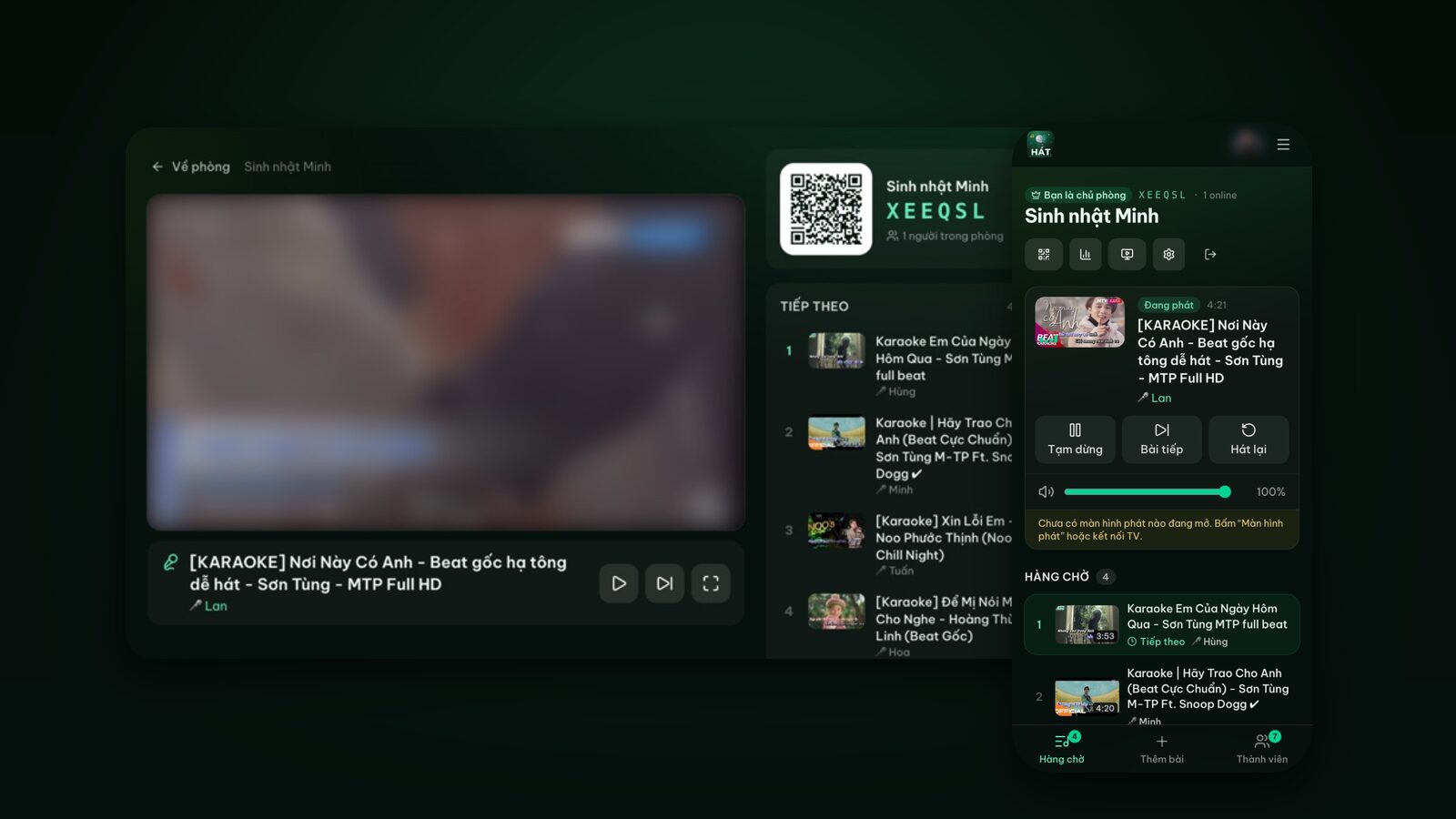
We don't own a karaoke machine. The living-room TV is the player screen, and anyone who wants to sing picks songs on their own phone with Hát nhau nghe, a karaoke site that runs in the browser. Songs come from YouTube, so almost every New Year song has a karaoke version.
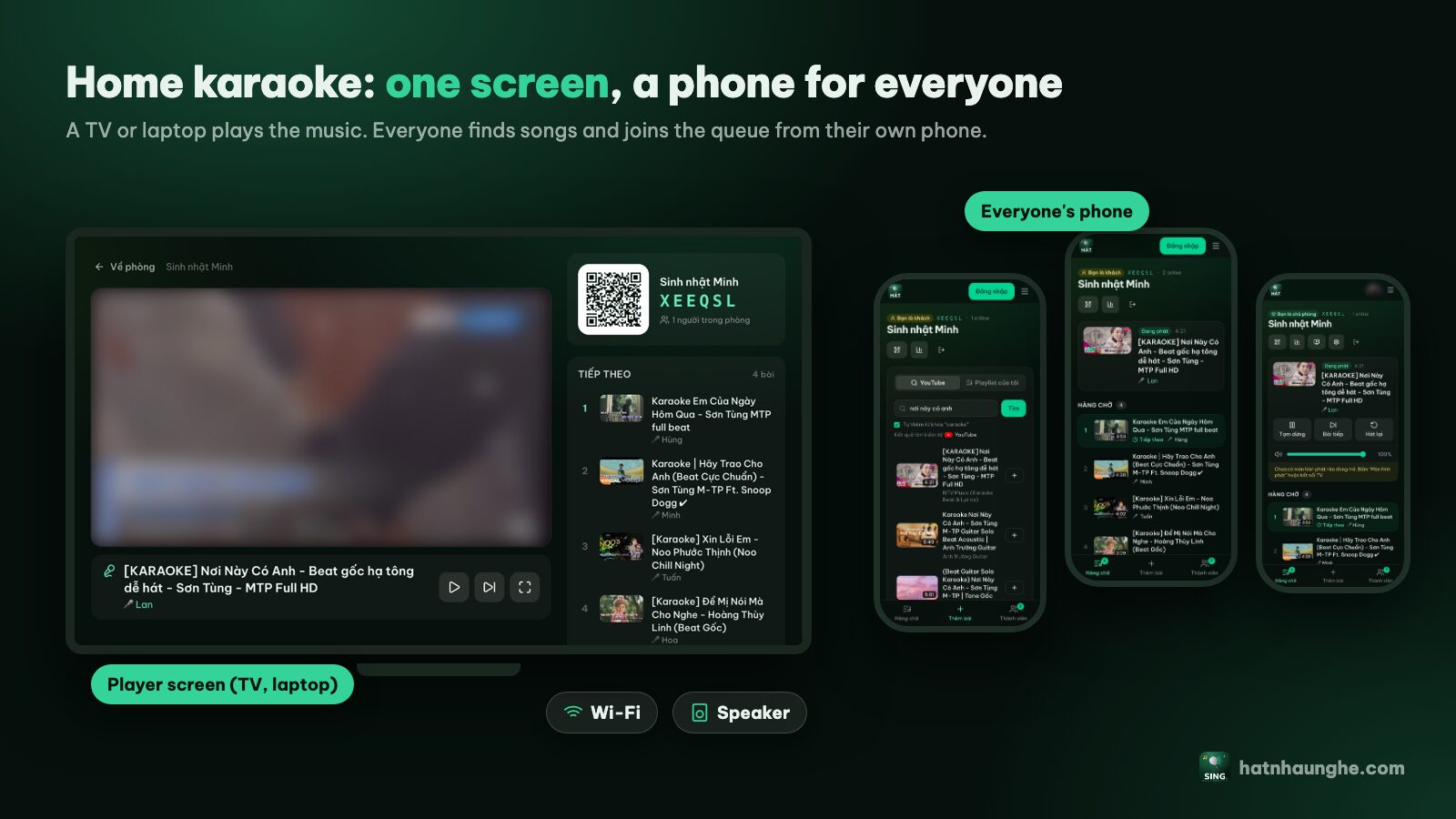
What you need:
- 1A TV or laptop to show the lyrics. Bigger is better for grandparents reading the words.
- 2Stable Wi-Fi. Everyone is online during the holiday, so keep the router close to the living room if you can.
- 3Sound. TV speakers are fine for casual singing. If you have a karaoke speaker with mics, even better. The site doesn't process mic audio, so whatever speaker and mics you own will work.
- 4Chargers. Phones are busy all day with photos, video calls and song picking.
If you've never done home karaoke this way, home karaoke without a karaoke machine covers speakers, mics and room layout in detail.
Putting karaoke on the family TV
The host (usually the most tech-savvy cousin) creates the room first:
- 1Open hatnhaunghe.com on a phone, choose I'm hosting and sign in with Google.
- 2Give the room a festive name like "New Year at Grandma's" and tap Create room.
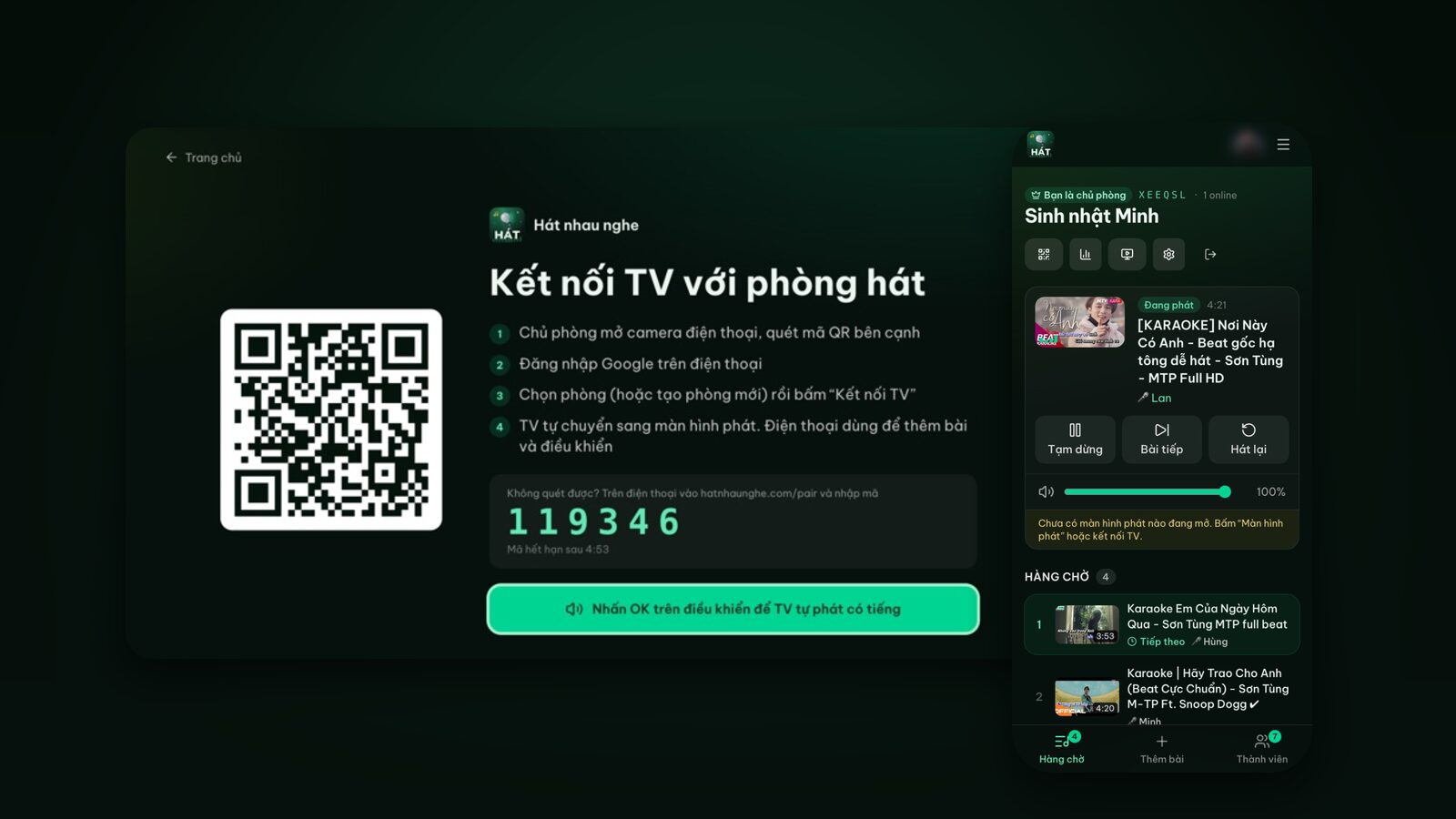
- 3On the TV, open the browser and go to hatnhaunghe.com/tv. A QR code and a 6-digit code appear.
- 4Press OK on the remote once so the TV is allowed to play sound.
- 5The host scans the QR code on the TV, picks the room and taps Connect TV. Can't scan? Go to hatnhaunghe.com/pair and type the 6-digit code.
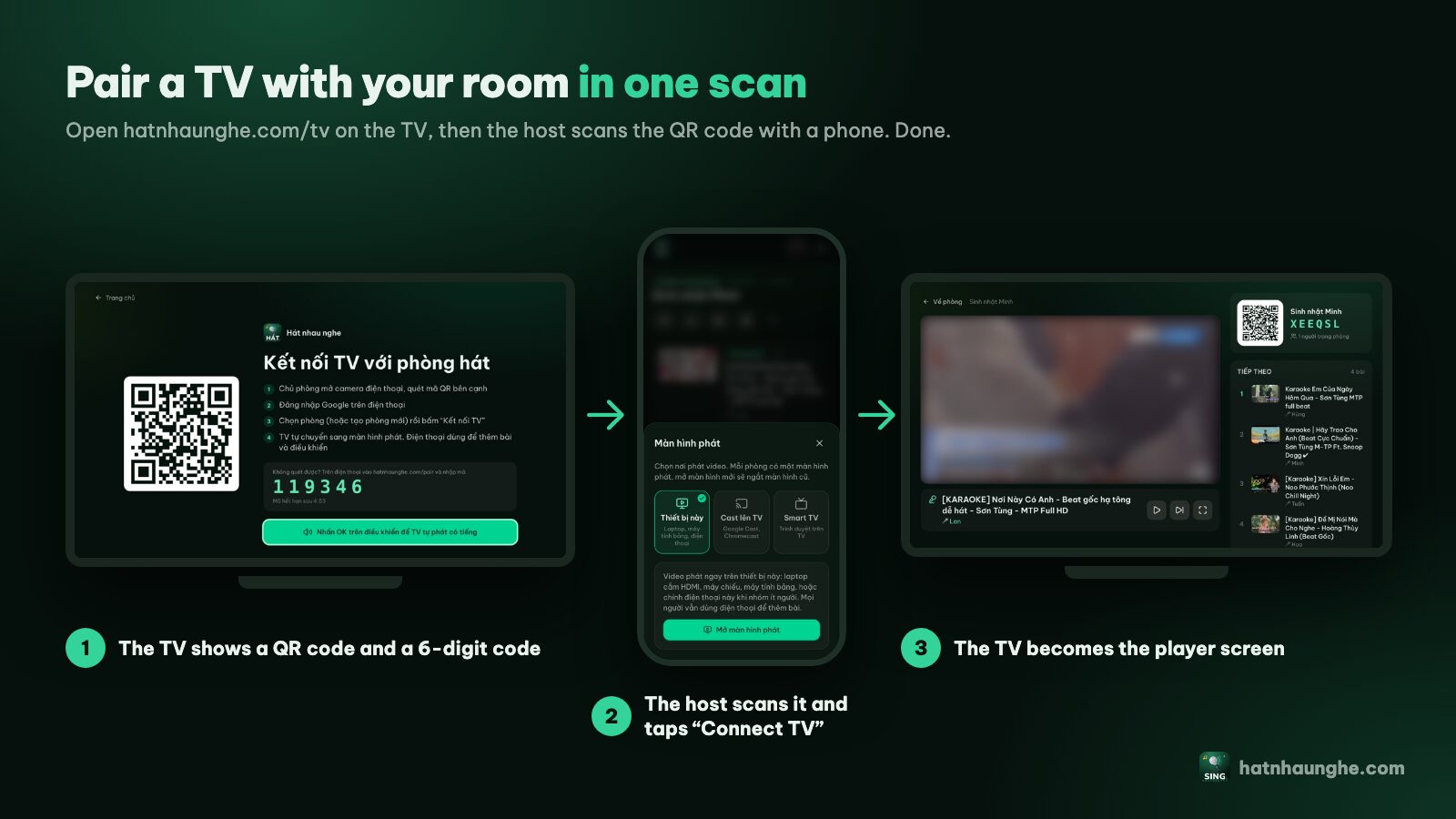
On an Android TV you can also install the "Hát nhau nghe TV" app from Google Play; see the apps page. On Samsung or LG TVs, just use the TV's browser. A laptop on HDMI or casting from Chrome on Android also work; more in karaoke on your TV with your phone.
Picking songs for three generations
This is the fun part. We think of songs in three groups and mix them throughout the afternoon so nobody feels left out for long.
Grandparents: bolero, golden oldies, folk songs
Older relatives tend to sing what they learned when they were young: slower tempos, clear lyrics. In Vietnamese families that often means bolero and "nhạc vàng" (golden-era songs). Spring-themed bolero songs such as Xuân này con không về are a common pick. Ask them what they want to sing; it's often a song nobody else would have thought of.
Parents: classic New Year songs
The parents' generation usually loves the classic spring songs. In Vietnam, Mùa xuân ơi and Ngày Tết quê em are two that almost everyone knows, and in many families ABBA's Happy New Year gets a turn too. Add a few old ballads and you have a whole afternoon.
Kids and young adults: pop and children's songs
Teens and twenty-somethings bring the current hits and whatever New Year songs came out this year. Little kids want short, cheerful children's songs. We let the kids sing early, before they get sleepy.
The song names here are only starting points. Which karaoke version to pick on YouTube depends on each singer's voice; see how to find karaoke songs on YouTube for how to spot versions with clear lyrics in the right key.
Build a New Year playlist ahead of time
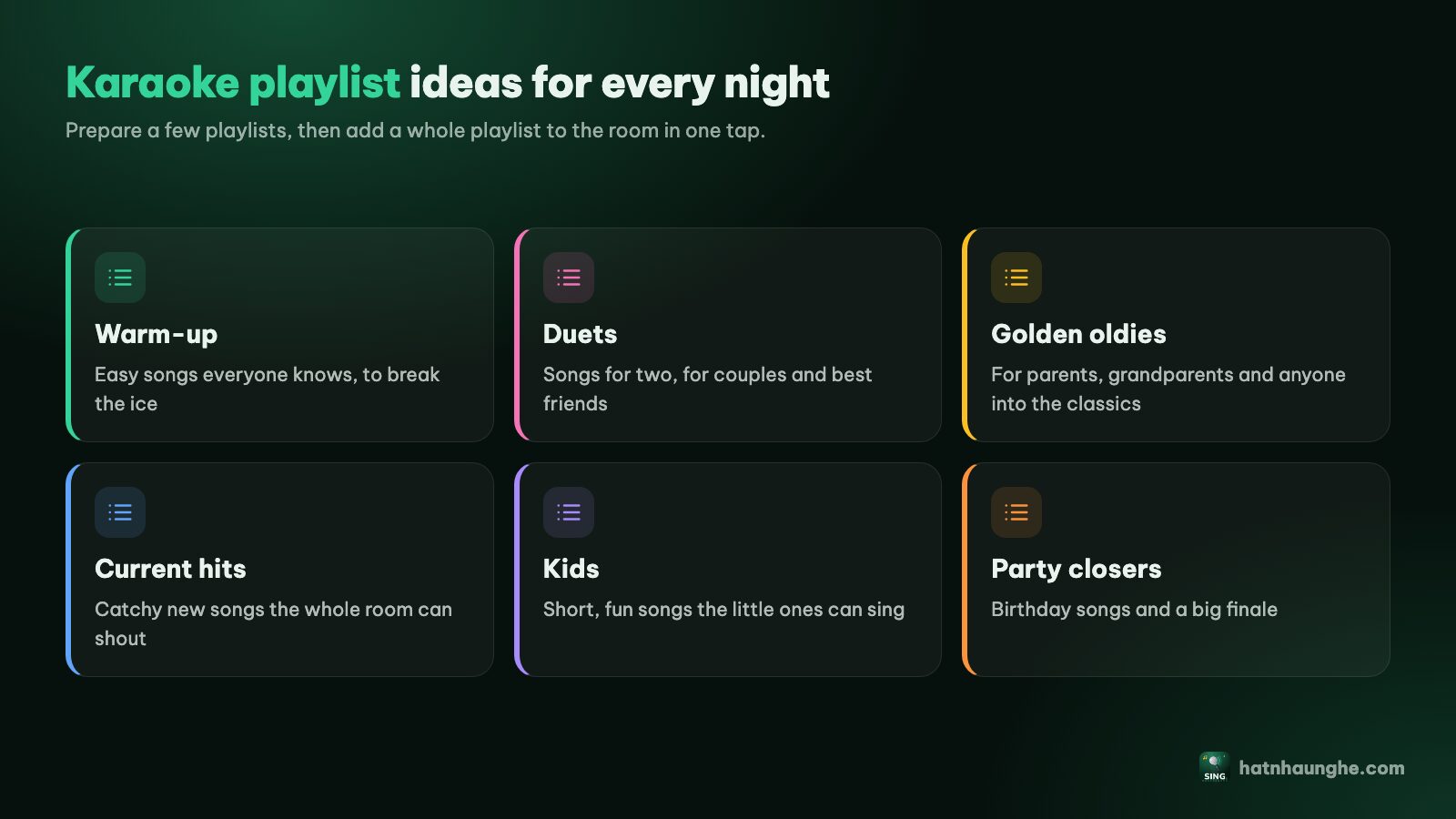
You can search mid-party, but with a full house it's much easier to prepare. Anyone signed in with Google can go to Playlists and create a few:
- New Year songs for everyone, to open the session.
- Grandparents' favorites, with the grandkids finding exactly the songs they like.
- Kids' New Year songs for the little ones.
On the day, open Add songs, choose My playlists and tap Add whole playlist to queue the lot. The free plan holds 5 playlists of 20 songs each, which is plenty for one holiday. More in building karaoke playlists.
Taking turns so the grandparents get to sing
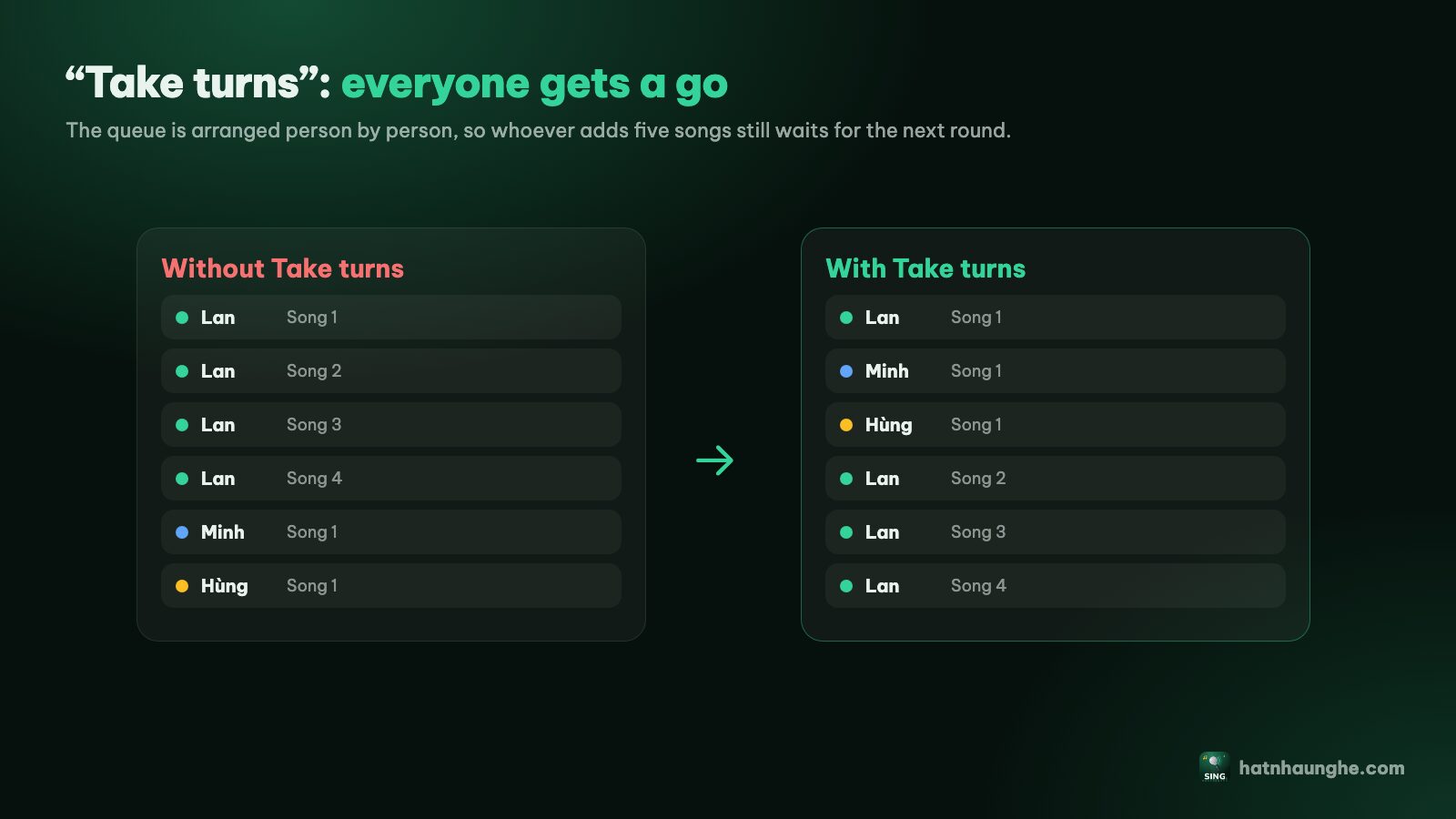
This is where feelings get hurt. A quick-fingered grandkid queues five songs in a row and grandma waits all afternoon. What we do:
- 1Turn on Take turns. In Room settings, switch on Take turns. The queue then rotates so each singer gets one song at a time.
- 2Give the grandparents their own name in the room. Turns are counted per person in the room. If a grandkid adds songs for grandma from their own phone, those songs count as the grandkid's turn. Our trick: use an old phone or tablet, join the room as "Grandma and Grandpa", and let a grandkid pick songs for them on that device. Now they have their own turn.
- 3Set Max songs per guest if the queue gets long, for example 2 or 3 waiting songs per person.
- 4Let the host move songs. Tap a song in the queue and choose Move up to bring grandma's song forward. This works on the free plan.
Every setting is explained in running a karaoke room so everyone gets to sing.
Try it in your browser
Open a free karaoke room, let friends scan the QR code and start singing in seconds. Nothing to install.
Visiting guests join with a QR code
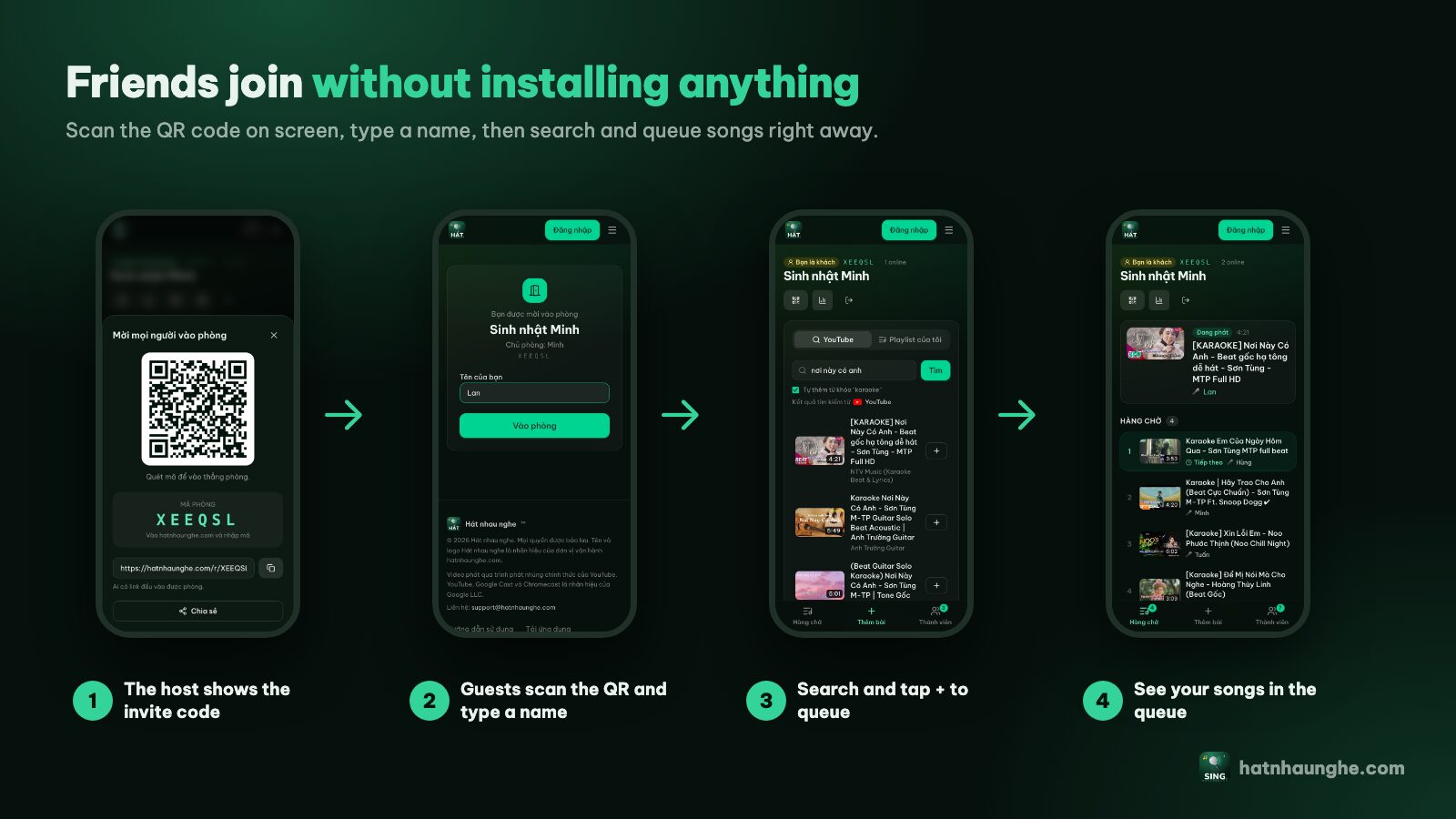
During the holiday, visitors come and go and nobody wants to read out a code every ten minutes. The player screen always shows the room's QR code. A guest just:
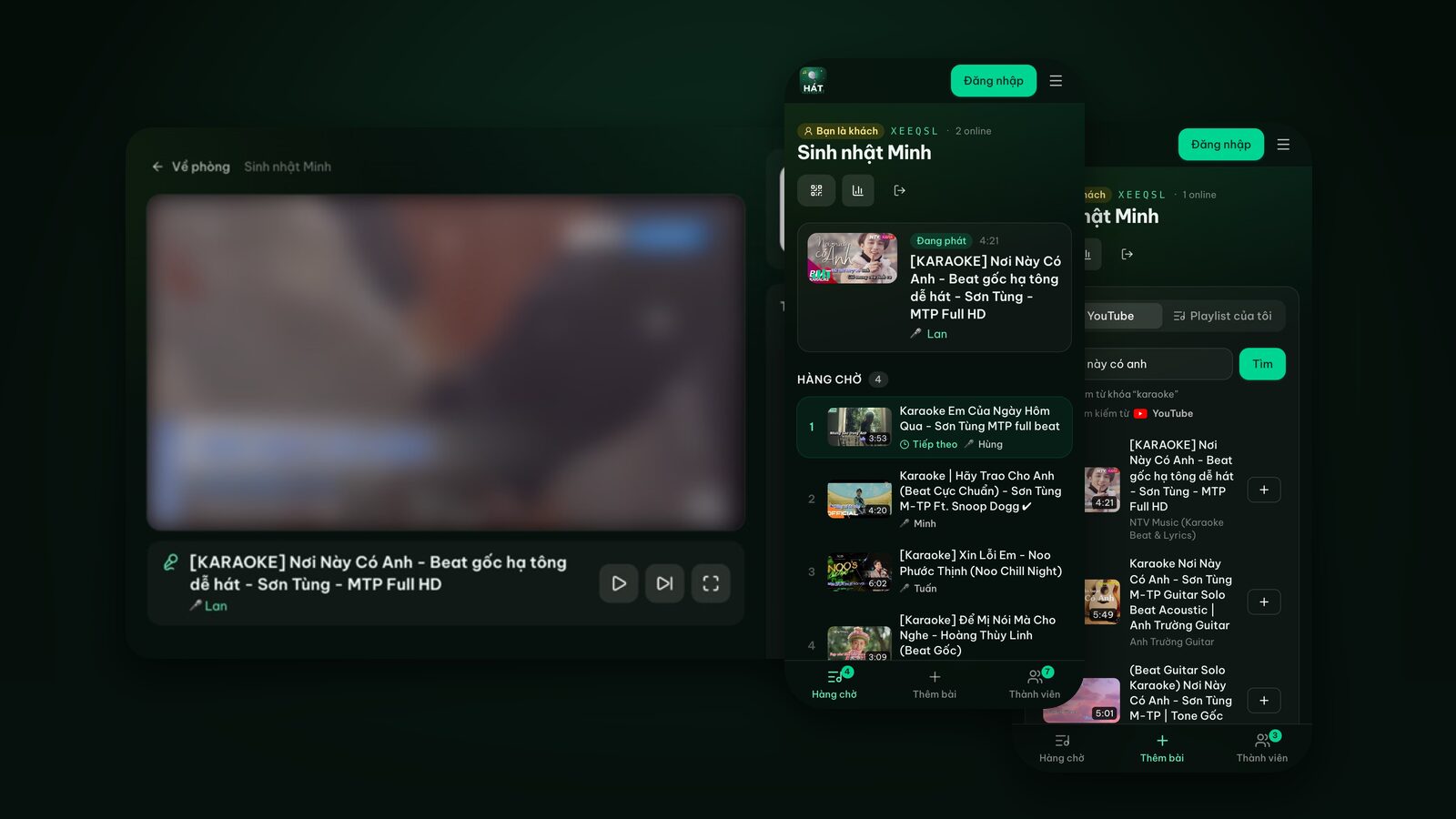
- 1Opens the phone camera and scans the QR code on the TV.
- 2Types a name, like "Auntie Lan", and taps Join room.
- 3Opens Add songs, searches and taps + to queue a song.
No account, no app. Anyone who can't scan can go to hatnhaunghe.com and enter the 6-character room code. The host can tap Invite to show a bigger code.
One thing to know: on the free plan a room holds up to 10 people, and a big family holiday can have more. In practice not everyone needs to join. People who are only listening don't need to scan, and small kids can share a parent's phone. If lots of people really want to pick their own songs, Premium (bought in the mobile app) removes the people limit.
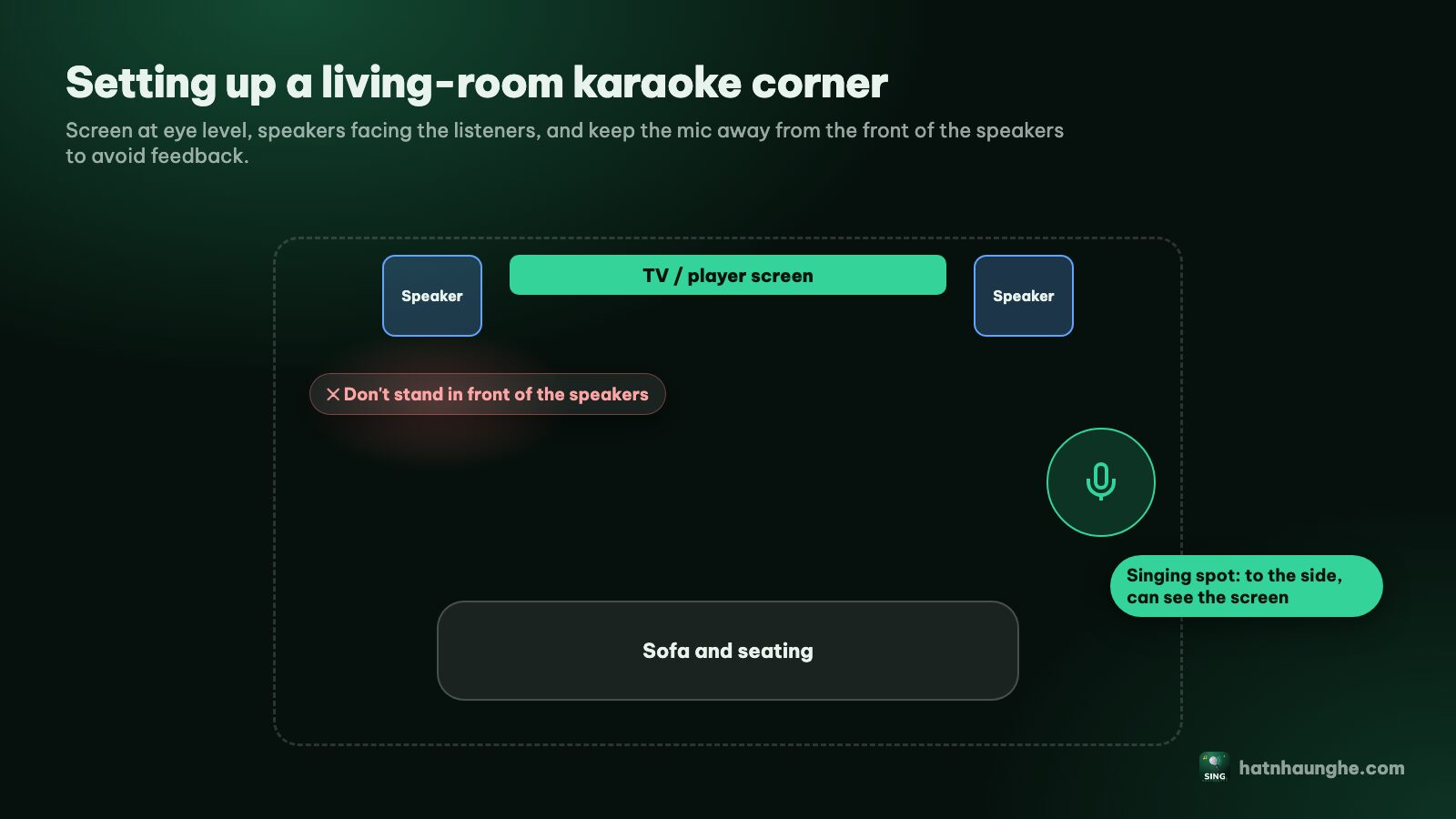
Arranging a holiday living room
The living room is already crowded with snack trays, a fruit offering and blossom branches. A few tips:
- Best seats for the grandparents, right in front of the TV so they can read the lyrics.
- The singer stands off to one side so they don't block the screen.
- Keep speakers in front of the singer, not behind, to avoid mic feedback.
- Move decorations away from walkways around the singing spot so nobody trips over a cable.
- Give the mic a home, a fixed spot it goes back to after each song.
Volume and the neighbors
Everyone is celebrating, but not everyone wants to hear the house next door singing late into the night. Our rules:
- 1Sing mostly in the afternoon and early evening. After lunch is nap time for many families, and late night is for quiet.
- 2Check the noise rules where you live. Apartment buildings often have their own quiet hours, and local rules apply too. Wrap up a little before the cutoff.
- 3Turn it down from your phone. The host has a Player volume slider on the room page, no hunting for the remote.
- 4Cut the bass first. Low frequencies travel through walls further than voices.
- 5Invite the neighbors. It's the new year. Asking them over for a song is the best way to keep the peace.
A few New Year karaoke games
Energy dips eventually. These simple games bring it back:
Red envelope song draw
Write song titles on slips of paper and tuck them into red envelopes (lì xì). Whoever draws a song sings it and keeps the envelope; a little cash inside makes everyone more eager. Choose songs everyone knows so nobody gets stuck.
The "spring" challenge
Everyone has to pick a song with "spring" or "new year" in the title (in Vietnamese, "xuân" or "Tết"). Anyone who can't think of one sings a children's song as a penalty. Grandparents usually win, because they know the most old spring songs.
Grandparents vs grandkids
Split into two teams, alternate songs and let the room vote by applause. If the host has Premium and turns on Song scoring, the player shows a fun score after each song and everyone rates with stars on their phones. The score isn't based on your voice, so treat it as a new-year game. More in karaoke scoring and voting.
At the end: save the memories
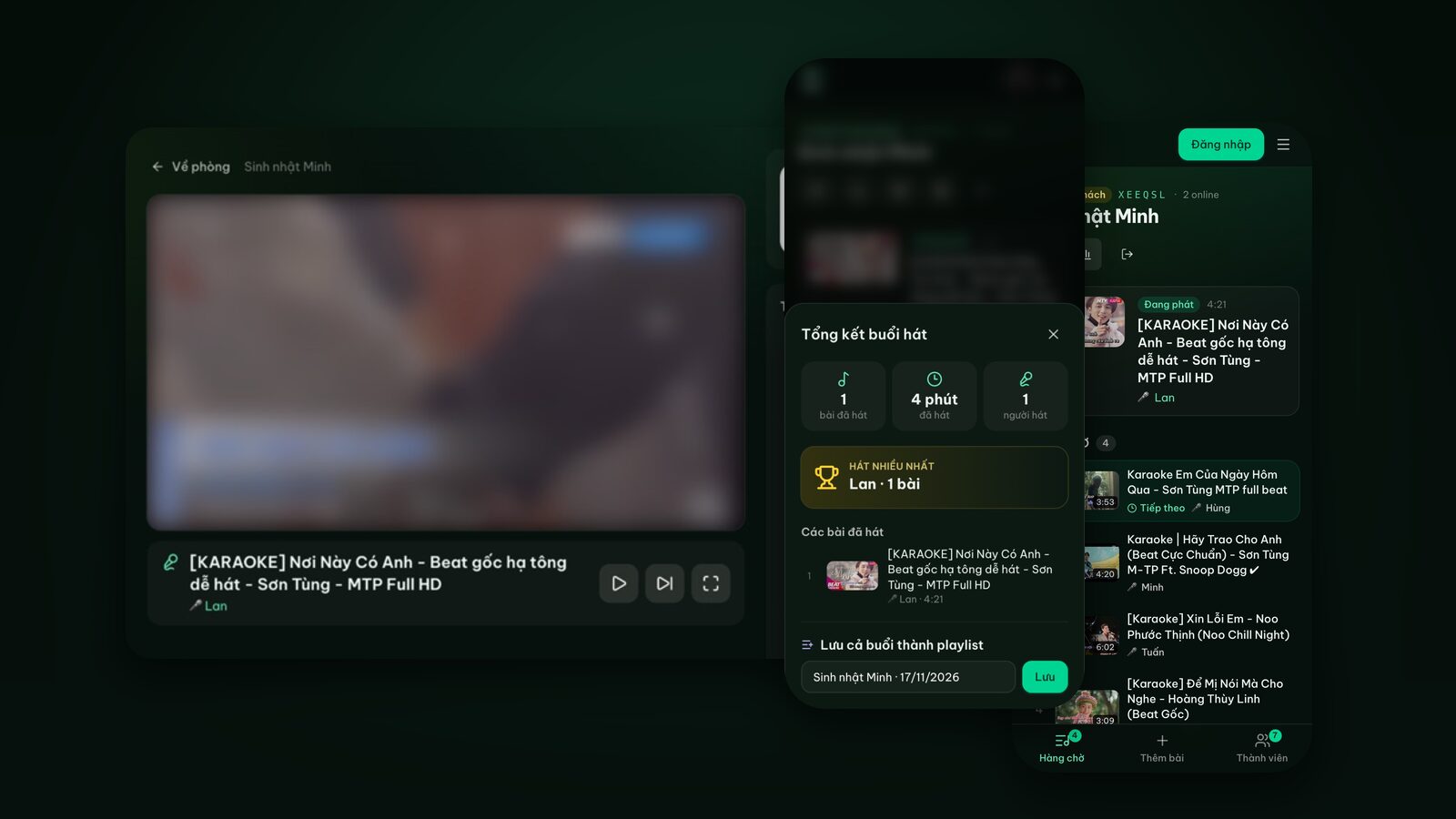
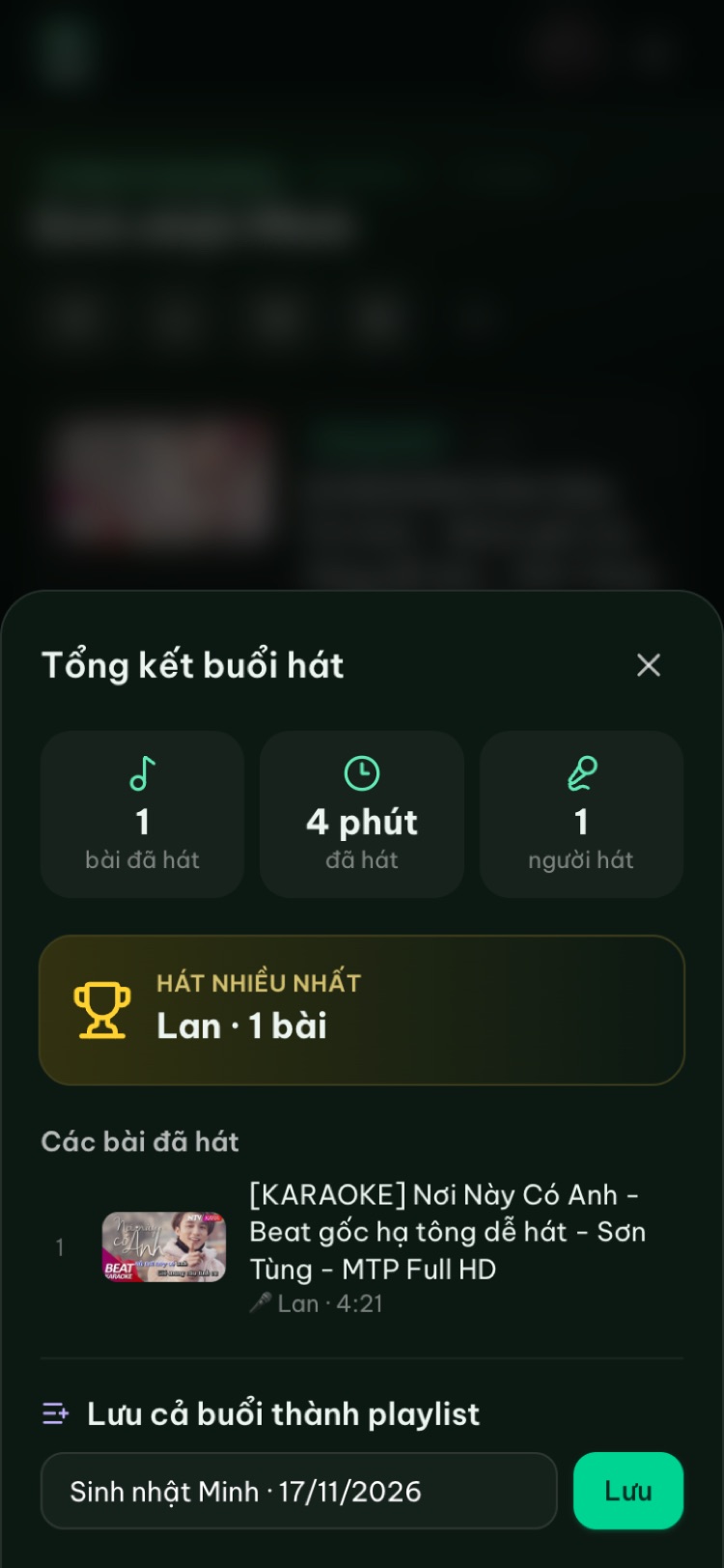
When everyone has sung their fill, the host opens the Night recap: how many songs, how long, how many singers, and who sang the most. We screenshot it every year and send it to the family group chat, so relatives who couldn't come home still feel part of it.
Then tap Save the whole night as a playlist and name it something like "New Year 2027 at Grandma's". Next year, open that playlist and you have the family's song list ready. Rooms delete themselves after 24 hours without activity, but saved playlists stay.
Quick checklist
- The day before: connect the TV, test a song, check the speaker and mics.
- Create 2 or 3 playlists: New Year songs, grandparents' favorites, kids.
- Turn on Take turns and consider Max songs per guest.
- Set up a separate device for the grandparents if they don't use a phone.
- Charge wireless mics, have a power strip ready.
- Agree on an end time and lower the volume in the evening.
- At the end: save the recap as a playlist.
With lots of little ones around, see karaoke for kids and families. And if someone in the family is too shy to sing, easy karaoke songs for beginners has tips on picking songs and keys.
FAQ
Does holiday karaoke on the web cost anything?
No. Hát nhau nghe is free; the host just needs a Google account to create a room, and guests don't need an account. Premium is optional, bought in the mobile app, and adds scoring, Play next and no people limit.
What if the grandparents don't have a smartphone?
They can still sing. A grandkid picks songs for them, ideally on a separate device that joins under the grandparents' name so they get their own turn when Take turns is on.
The Wi-Fi is slow during the holidays. Will it work?
Songs stream from YouTube, so the player screen needs a stable connection. If the Wi-Fi is struggling, keep it for the TV and let phones search over mobile data.
Will there be ads between songs?
Videos play through YouTube's official player, so any ads are YouTube's. Hát nhau nghe doesn't download or store videos.
Does the room last for the whole holiday?
A room is deleted after 24 hours without activity. If you sing every day it stays; if you skip a day, creating a new room takes a minute. Saved playlists are always kept.
Happy New Year, and have a great time singing together.
Try it in your browser
Open a free karaoke room, let friends scan the QR code and start singing in seconds. Nothing to install.